
As a web developer, I’ve spent a lot of time searching for the perfect dark theme for my editor. I’ve been using Atom’s iconic One Dark Pro theme, specifically its darker variant, for quite a while. It’s one of the most installed themes for VS Code, and I love its syntax highlighting. However, even the darker variant didn’t quite hit the mark for me. I also really liked the clean look of the native Dark Modern theme in VS Code, but I missed the syntax colors from One Dark Pro. So, I made my own theme.
One Dark Modern Pro ⚛️
A VS Code theme that combines the best of both worlds:
- Syntax highlighting from Atom’s One Dark theme, which I’ve always loved.
- Clean UI colors by VS Code’s Dark Modern theme, that don’t distract from the code.
- A darker background that helps with focus and reduces eye strain.
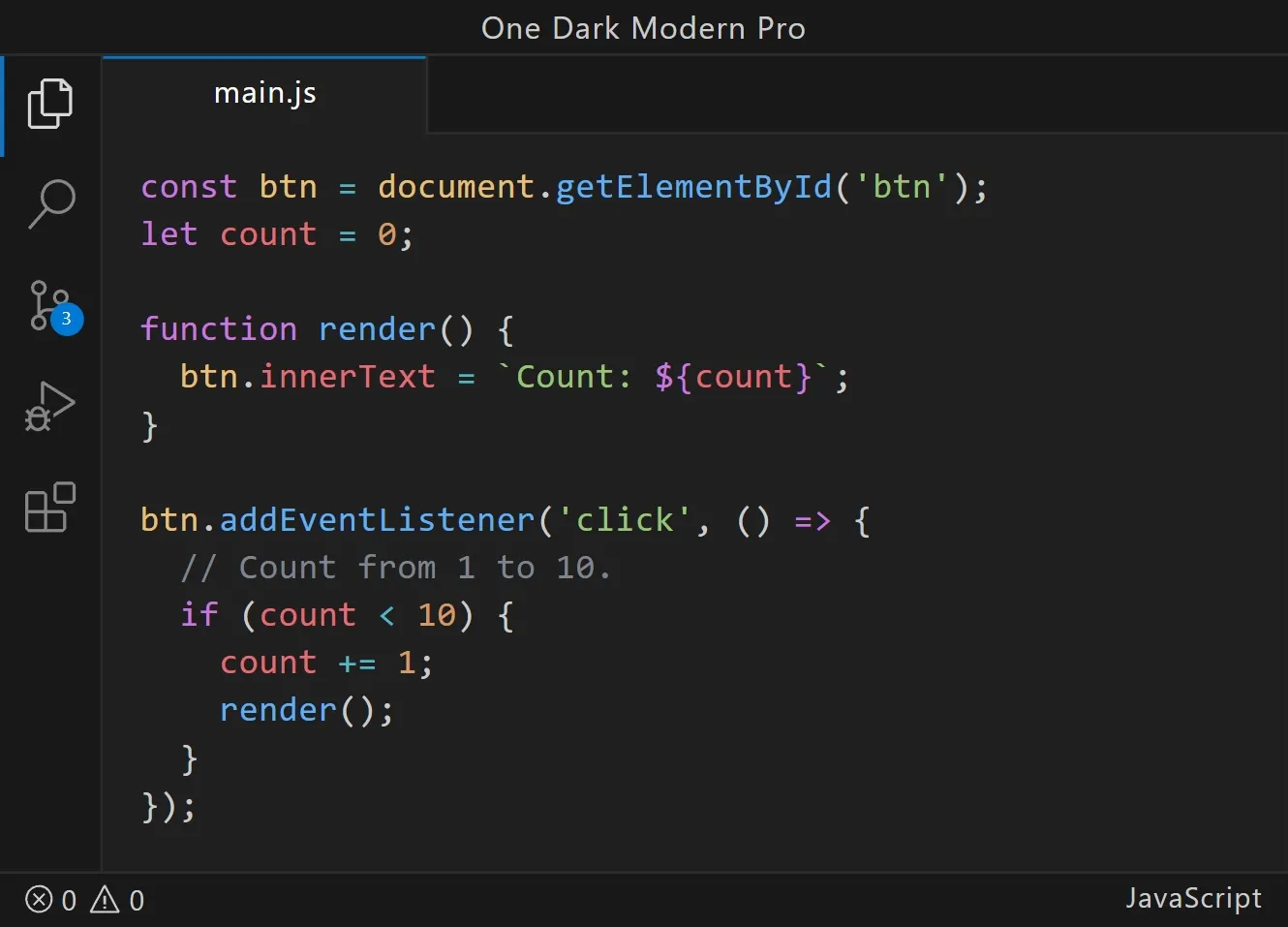
Try It Out
If you’ve been looking for the perfect dark theme that balances great syntax highlighting with a refined UI, give One Dark Modern Pro a try.
🔗 VS Code Marketplace
🔗 GitHub Repo
Bonus Font and Icons Recommendations
To complete the experience, I recommend using Source Code Pro for the font. It pairs beautifully with the One Dark Modern Pro theme and provides a clean, monospaced look that makes reading code effortless.
For icons, I highly recommend the Bearded Icons set. It’s a great match for the sleek look of One Dark Modern Pro and gives your editor a modern, minimal aesthetic.